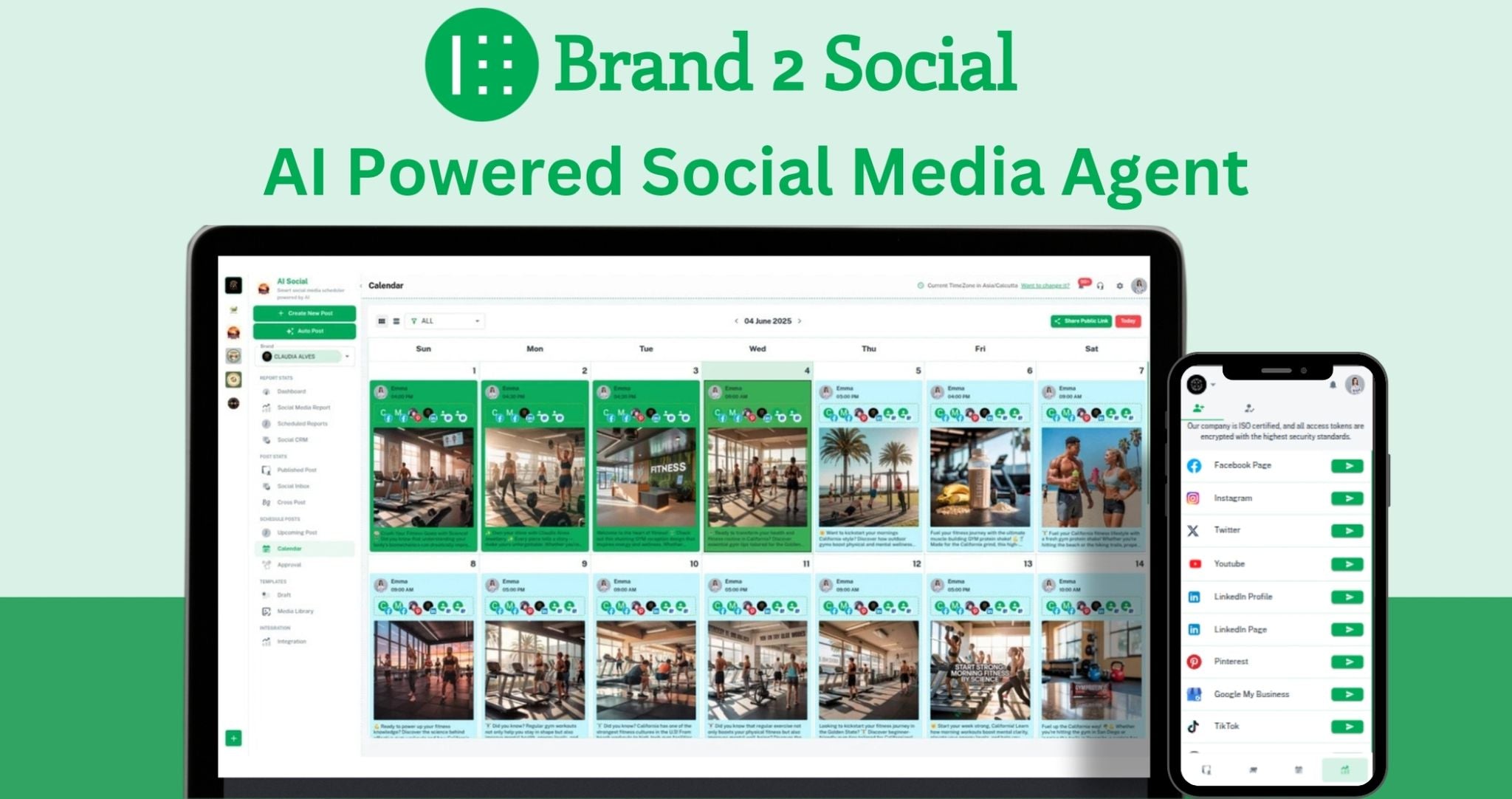
Managing multiple social media accounts can be overwhelming and time-consuming.
Brand2Social addresses this challenge by providing a unified platform that simplifies:
- Content Scheduling: Plan and publish posts across various platforms from a single dashboard.
- Audience Engagement: Monitor and respond to comments, messages, and reviews without switching between accounts.
- Performance Tracking: Analyze metrics to assess the effectiveness of social media strategies.
Perfect for agencies and businesses!
With features like Scheduling, Reporting, Approval, and Client/Team Collaboration, AI Image Generation, Auto DM Brand2Social simplifies the process of Managing Multiple Accounts and Brands.
Easily schedule Posts, Comments, and Likes across platforms like Facebook, Instagram, Twitter, LinkedIn, Pinterest, Tiktok, and YouTube. With Automated Message replies and real-time collaboration, maintaining your social presence has never been easier.
Take advantage of multi-channel scheduling & publishing, white labeling with custom domain, and a global inbox for all social channels.

Upgrade your social media game with Brand2Social today. Try it out and see the difference for yourself.
Brand2Social comes with great features

- Auto DM (Automate Messages)
- Al Content Generation(Generate 30 days of content in one click)
- Re-schedule, edit, delete, drafts, and publish posts
- Manage messages from all your social media accounts in one place
- Google Business review & questions management
- Approval workflow for content moderation
- Email notifications for updates
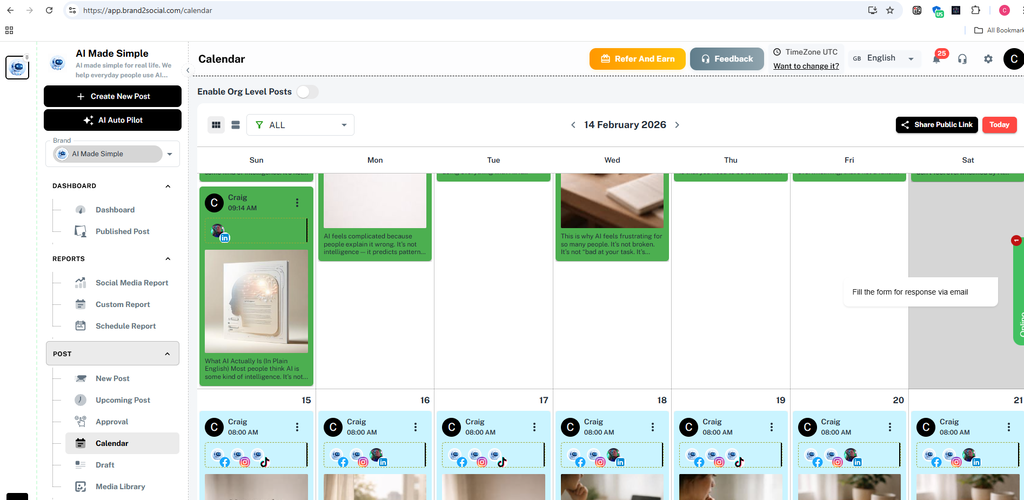
- Calendar view to see all scheduled posts
- White Label and CNAME features on your custom domain
- Reports for all your accounts
- Schedule Report to Emails
- First comment posting on social media
- Pinterest integration
- TikTok integration
- Manage one social media. Automate others (Cross Posting)
Social Media Managers may efficiently manage clients by creating distinctive brands for every client and providing users with varied role-based permissions.
How does scheduling work?

- Schedule posts across multiple social media platforms
- Edit and manage post content and media individually
- See all your scheduled posts in a calendar view
- Save your content with drafts for future use or templates
- Manage photos and videos in a media library for future posts
- Preview how your posts will appear on different platforms
- Modify content and media for individual platforms when scheduling post
Social Inbox

Analytics & Reporting

2. Post & Engagement Insights - Monitor Total Posts published, Total Engagement, and average engagement per day. Instantly identify your Best Performing Post with a full breakdown of Reactions, Comments, Shares, and Engagement score.
3. Engagement by Content Type - Analyze how different content formats perform with a visual breakdown of engagement by post type Link, Text, Video, and Photo so you know exactly what content resonates with your audience.
4. Scheduled Reports - Automatically send branded reports to clients on a daily, weekly, or monthly basis via email. Manage and track all previously scheduled report deliveries from one place.
5. Per-Brand Reporting - Generate separate, detailed reports for each brand or client with a built-in tutorial walkthrough making it easy for agencies to deliver professional performance updates without any manual effort.
Multiple Account Integration

- Manage several social media profiles in one place, making it easy to engage and post simultaneously
- Examine how crucial it is to monitor and evaluate performance indicators on different social media platforms in order to support data-driven decision-making
- We meticulously craft each message in our drafts to stimulate emotion, motivate action, and connect with our audience
-
You can automatically plan reports to be sent to customers on a daily, weekly, or monthly basis with plan Reports
Al Content Generation

- Generate post content using AI across multiple platforms
- Manage several social media profiles in one place
- Monitor performance indicators across platforms for data-driven decisions
- Craft and schedule AI-assisted drafts for future campaigns
Team Collaboration & Client Management

Brand2Social gives you complete control over who can do what across your brands. With flexible role-based permissions, you can manage teams, clients, and collaborators without any confusion.
1. Organization Admin - Full access including Brand Admin permissions, Organization Admin permissions, Approver rights, All Channel Access, Read Posts, Manage Comments & Likes, Manage Social Inbox, Integration Permission, and Publish Permission (with approval)
2. Brand Admin - Approver, All Channel Access, Read Posts, Manage Comments & Likes, Manage Social Inbox, Integration Permission, Publish Permission (Needs Approval)
3. User - All Channel Access, Read Posts, Publish Permission (Needs Approval)
4. Add New Roles - Create fully custom roles with specific permissions tailored to your workflow
5. Connected Social Media per Role - Assign specific social media accounts to each role so team members only see what's relevant to them
6. Approval Workflow - Posts from contributors and users go through an approver before going live, ensuring content quality control
7. Client Access Management - Give clients their own login with restricted permissions to view and integrate without disrupting your workflow
White Label and CNAME (Agency Plan)

- White Label: Rebrand Brand2Social with your logo and customize the app's theme to match your style
- NAME: Use your custom domain to give clients access to your branded platform and allow them to view the approval workflow.
Auto Post & Cross Post

Put your social media on autopilot. Brand2Social's Auto Post feature uses AI to automatically generate and publish content across your social channels so you never miss a posting day.
1. Start Auto Post with a single click - AI handles content generation and publishing automatically
2. Set the number of posts per week (1 to 50 posts)
3. Choose Content Types Text, Image, Video, or mixed formats
4. Select AI Image Generation Model powered by GPT Image Model for AI-generated visuals
5. Add a custom Prompt to guide AI content generation in your brand's tone and style
6. Let AI determine optimal posting times AI automatically selects the best time to post for maximum engagement
7. Review and approve AI-generated content before publishing
8. Customize AI-drafted posts before they go live
Dashboard

Get a complete bird's-eye view of all your social media activity the moment you log in. Brand2Social's Dashboard gives you real-time insights across all connected accounts and brands in one unified place.
1. Profile Status Overview - See follower counts across all connected social media accounts at a glance
2. Recent Posts Feed - View your latest published posts across all platforms with engagement metrics (Likes, Comments, Shares, Replies, Reposts) in one place
3. Multi-Brand View - Switch between brands and monitor each brand's activity separately
4. Quick Notifications - Stay updated with real-time alerts on post activity, approvals, and messages
Auto DM (Comment VIRAL. Send DM in Insta, Facebook)

This feature automatically sends a Direct Message (DM) to users who interact with your posts — whether they leave a comment, hit the like button, or send you a message — on Instagram and Facebook.
Perfect for viral campaigns and customer engagement, it helps you:
-
Instantly follow up with users who comment on your reels or posts
-
Auto-send a personalised message to anyone who likes your content
-
Start a DM conversation as soon as someone messages your page
-
Drive traffic, sales, or sign-ups directly from organic social interactions
It’s like having an autopilot for engagement — helping you build relationships, answer questions, and turn attention into action without lifting a finger.
Testimonials
- "Really good app, it doesn't only schedule our posts into all the major social media, like Facebook, Instagram, x. It even does YouTube and Pinterest, who are not limited with only text or images. On first setup some of the integrations can be complex, but the support was very helpful 5/5 so far" - Jorge Araújo
- "As an agency, we love the white label and domain mapping feature!" - James
- "They have the best support team." - Level Up Results
- "The content calendar and team management tools have made collaborating with my team easier than ever. It's perfect for staying organized and on top of our social media strategy." - Sonal P., Digital Marketer
- "Brand2Social's platform is intuitive, and the automated posting feature has significantly boosted my social media engagement." - Vikas R., E-commerce Entrepreneur
- "Brand2Social has completely transformed how I manage my business's social media accounts. The ability to schedule posts and automate everything saves me so much time!" - Anisha S., Small Business Owner
- "It's great to have all messages, comments, and likes in one place with the social inbox. Makes managing customer engagement much easier!" - Deepa K., Customer Support Manager