
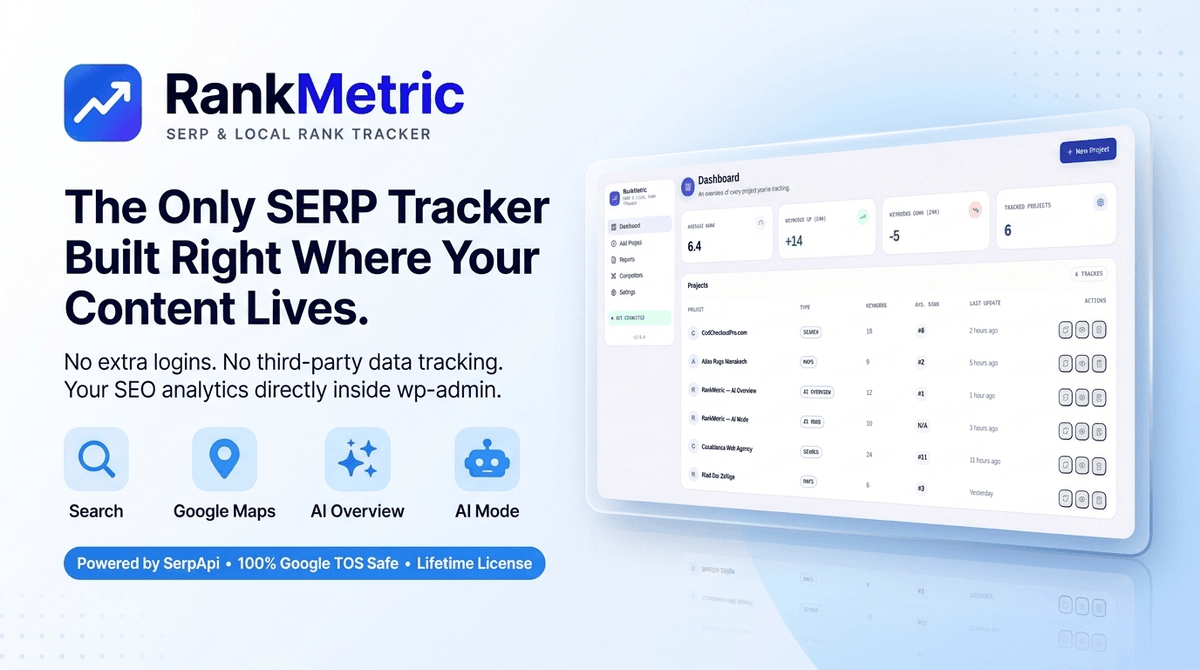
Want to track your Google rankings without leaving WordPress or paying for another expensive SEO subscription?
RankMetric brings your search performance into the WordPress dashboard you already use, helping you track traditional rankings, local search visibility, and Google's AI-powered search results from one place.
With RankMetric, you can:
-
Track Google rankings automatically: Monitor your keywords on a daily, weekly, or custom schedule.
-
Monitor local SEO performance: Track Google Maps positions and see whether your business appears in the local 3-pack.
-
Measure AI search visibility: Check whether your website is cited in Google AI Overviews and AI Mode.
-
Keep an eye on competitors: Compare rankings, track gains and losses, and measure your share of voice.
-
Create branded client reports: Export white-labeled PDF and CSV reports featuring your own branding.
-
Control your tracking costs: Connect your own SerpApi key and pay for search API usage directly, without an additional rank-tracking SaaS markup.
Get a clearer picture of your SEO performance, automate your tracking, and manage everything from one WordPress dashboard.
Ready to take control of your rankings? Get RankMetric and start tracking smarter.
Track Google Search, Google Maps, AI Overviews, and AI Mode from one WordPress dashboard.
Compare competitors, analyze ranking history, and monitor your share of voice.
Automate ranking checks with schedules ranging from every five minutes to weekly.
Generate white-label PDF and CSV reports while using your own SerpApi key to manage API costs.
Why RankMetric?
RankMetric gives you a more streamlined and cost-conscious way to monitor your SEO performance by combining traditional rank tracking, local visibility, and AI search citations in one WordPress plugin, without locking you into another expensive monthly SaaS subscription.-
Track four types of Google visibility: Monitor organic search results, Google Maps, AI Overviews, and AI Mode from a single dashboard.
-
Avoid expensive SaaS markups: Use your own SerpApi key and pay for API usage directly instead of paying for a separate rank-tracking subscription.
-
Stay ahead of SEO changes: See how your rankings evolve over time and identify when your visibility improves or drops.
-
Understand your competitive position: Compare your performance with competitors and spot changes in your share of voice.
-
Automate routine monitoring: Schedule ranking checks and let WordPress run them in the background.
-
Deliver professional client reports: Generate branded reports without manually compiling ranking data.
-
Keep your workflow in WordPress: Manage your tracking projects without constantly switching between different SEO platforms.
How It Works
Get your ranking data up and running in four simple steps.
Step 1: Install RankMetric
Upload the plugin to your WordPress site, activate it, and open RankMetric from your WordPress admin dashboard. RankMetric requires WordPress 6.2 or later and PHP 8.0 or later.
Step 2: Connect Your SerpApi Account
Create a SerpApi account, copy your private API key, and add it to RankMetric's settings. New SerpApi accounts include monthly search credits, so you can try the setup before committing to a paid plan.
Step 3: Create Your Tracking Projects
Add a project for the website, Google Business Profile, or AI search queries you want to monitor. Choose the project type, add your keywords, and configure competitors if needed.
Step 4: Schedule Your Checks and Monitor Results
Choose how often RankMetric checks your rankings, from every five minutes to weekly. Review your results, follow historical ranking changes, compare competitors, and export branded reports directly from your dashboard. You can also trigger a manual check whenever you need an update.
Key Features that Turn Ranking Data Into SEO Insights

Multi-Surface Google Rank Tracking
Monitor your visibility across four distinct Google result types without juggling multiple tools.
-
Google Search: Track organic rankings for your website URLs and target keywords.
-
Google Maps: Monitor local search positions and your presence in the local 3-pack.
-
Google AI Overviews: Check whether your website is cited in AI-generated search summaries.
-
Google AI Mode: Track citations in Google's conversational search experience.
Automated Rank Checks
Set your preferred checking frequency and let RankMetric monitor your positions in the background. Choose from every five minutes, every three hours, daily, or weekly, depending on your tracking needs and API budget.
Complete Ranking History
Keep a historical record of your ranking checks in one graph. Review your best positions, spot upward or downward trends, and see when your search visibility changes.
Competitor Tracking and Share of Voice
Track competitor websites alongside your own to compare rankings, identify gains and losses, and understand how your visibility stacks up against the competition.
White-Label Reporting
Generate branded PDF and CSV reports with a single click. Add your agency's logo to client-facing PDFs and deliver SEO updates under your own brand.
Bring Your Own API Key
Connect your own SerpApi account to power every tracking type. You pay for API usage directly, giving you greater visibility into your tracking costs without an additional rank-tracking platform markup.
A Modern WordPress Dashboard
Manage projects, keywords, schedules, and ranking data through a modern interface built into wp-admin. Keep your SEO monitoring workflow in one familiar place instead of switching between multiple platforms.
Who's RankMetric Best For?
-
SEO Agencies: Track multiple client projects, compare competitors, and deliver branded ranking reports without adding another expensive SaaS subscription.
-
Local Marketing Consultants: Monitor Google Maps positions and local 3-pack visibility to evaluate clients' performance in location-based searches.
-
Freelance SEO Professionals: Manage keyword tracking, review ranking trends, and provide clients with clear performance updates from WordPress.
-
E-commerce Store Owners: Monitor organic rankings for important product and category pages while tracking competitors and AI search visibility.
-
WordPress Developers: Add rank-tracking capabilities to your workflow without requiring a separate SaaS dashboard for every project.
-
Agencies and Businesses Adapting to AI Search: Track website citations in Google AI Overviews and AI Mode alongside traditional and local search performance.
