
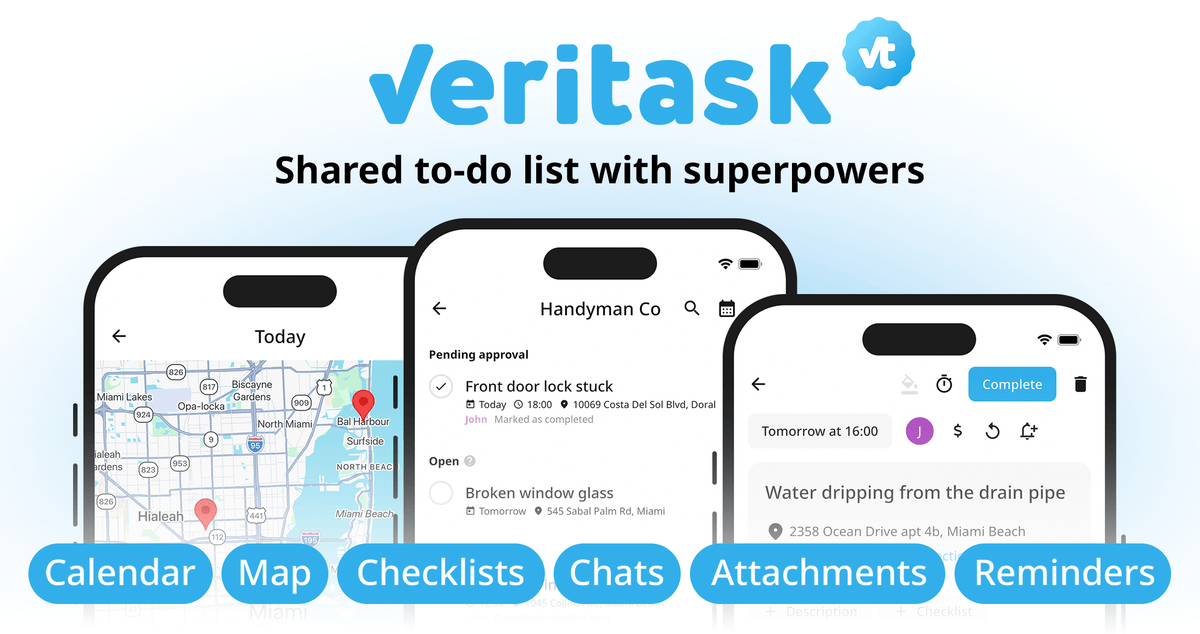
Need a better way to manage tasks, coordinate your team, and make sure every job gets done right?
Meet Veritask, the all-in-one task and work management platform that brings people, projects, and accountability together. Whether you're managing personal to-do lists, coordinating client projects, or running a field service business, Veritask helps you stay organized and keep work moving.
With Veritask, you can:
-
Manage tasks, projects, and work orders across multiple workspaces.
-
Assign jobs to team members or let them claim tasks themselves.
-
Request photo or file evidence before a task can be marked complete.
-
Track locations, working hours, deadlines, and task updates.
-
Keep everyone connected with comments, file attachments, reminders, and push notifications.
-
Access everything from iOS, Android, or any desktop browser.
-
Collaborate with up to 500 team members without paying per-user fees.
From everyday checklists to complex field operations, Veritask gives you the tools to manage work with greater visibility and control.
Ready to take control of your tasks and get more done? Discover what Veritask can do for your team.
More Than Just Task Management: Organize personal to-do lists, client projects, and entire business operations in one flexible platform.
Proof of Work, Built In: Require photos, videos, or files to verify task completion and keep every job accountable.
Made for Teams of Any Size: Collaborate with up to 500 users across multiple workspaces, with no per-user fees.
Designed for Work on the Move: Manage assignments, track locations, use interactive maps, and stay connected across mobile and desktop devices.
Why Veritask?
Because managing tasks should be about more than assigning responsibilities: it should give you complete visibility into what's happening, who's doing the work, and whether the results meet your expectations.
-
Proof of completed work: Require photos, videos, or files as evidence before approving completed tasks.
-
Built for field operations: Manage work orders with addresses, GPS coordinates, interactive maps, and one-tap navigation.
-
Flexible team collaboration: Invite up to 500 users, organize teams into separate workspaces, and assign individual access permissions.
-
A smarter way to distribute work: Let team members claim available tasks themselves instead of waiting for assignments.
-
Complete accountability: Keep a record of every task update, comment, attachment, and completion report.
-
Better cost control: Enjoy all the collaboration features without per-user pricing.
-
Work from anywhere: Access your tasks across mobile devices and desktop, with offline support and automatic cloud synchronization.
-
One platform, multiple purposes: Manage everything from personal errands and family chores to client projects and business operations.
How It Works
From task creation to verified completion, Veritask keeps the entire workflow organized and transparent.
-
Create and organize tasks: Add tasks to dedicated workspaces for clients, projects, departments, or your business. Include descriptions, addresses, deadlines, prices, checklists, and other relevant details.
-
Assign or share responsibilities: Assign tasks to one or multiple team members, or leave them open for anyone in the workspace to claim.
-
Keep everyone connected: Team members receive push notifications about assignments and updates. They can discuss tasks, add notes, and share photos, videos, and files.
-
Complete the work and submit proof: Once the job is finished, the assignee marks it as completed. If proof is required, they must submit the requested photo or file before completing the relevant checklist items.
-
Review and approve results: The task creator receives a notification and can approve or decline the completion. Declined tasks return to active work, while approved tasks move to the archive.
-
Track everything: Review task history, monitor working hours, check locations, and keep an organized record of completed work.
Key Features That Turn Everyday Task Management Into a More Accountable Workflow

Flexible Workspaces & Team Management
-
Create separate workspaces for clients, projects, departments, or businesses.
-
Invite up to 500 team members.
-
Share workspaces through personal invitations or public invitation links.
-
Allow team members to maintain their own accounts, workspaces, and teams.
-
Set three permission levels: Basic, Add Tasks, and Admin.
Proof of Work & Task Accountability
-
Require live camera photos, gallery images, or files as completion evidence.
-
Prevent tasks from being completed until all required checklist items are fulfilled.
-
Track every task change and update with a complete activity log.
-
Record GPS locations when team members submit updates, attachments, or completion reports.
-
Review and approve or decline completed tasks.
Advanced Task Details
-
Add descriptions, addresses, GPS coordinates, deadlines, and assigned team members.
-
Include prices for order payments or salary calculations.
-
Track time spent on individual tasks.
-
Organize tasks with color labels and detailed checklists.
-
Add comments and attach photos, videos, and files.
Self-Assignment & Task Marketplace
-
Leave tasks open for the entire workspace.
-
Let team members claim available jobs themselves.
-
Automatically assign a task to the first person who claims it.
-
Create an internal order exchange where employees choose the work they're best suited for.
Smart Automation & Notifications
-
Create recurring tasks on daily, weekly, monthly, or yearly schedules.
-
Set individual reminders before deadlines.
-
Receive push notifications about assignments, comments, attachments, and task updates.
-
Automatically generate the next recurring task after the current one is completed.
Interactive Maps & Visual Planning
-
Switch between List, Calendar, and Map views.
-
Organize tasks into Overdue, Today, Tomorrow, Later, and Someday.
-
View job locations on a map and get directions with one tap.
-
Automatically convert addresses into GPS coordinates and vice versa.
-
Use full-text search or search by assignee to find tasks quickly.
Seamless Communication & Accessibility
-
Turn phone numbers, email addresses, social media usernames, and URLs into clickable links.
-
Start calls or conversations through WhatsApp, Telegram, and other messaging apps.
-
Work across iOS, Android, Windows, Linux, macOS, and browsers.
-
Keep data synchronized across devices, with offline access.
-
Use Veritask in 39 languages.
Cost-Effective Team Collaboration
-
Invite up to 500 colleagues without per-user fees.
-
Manage multiple teams and workspaces under one account.
-
Export archived tasks to CSV.
-
Get a flexible task management solution without paying for unnecessary CRM complexity.
Who's Veritask Best For?
eritask is designed for anyone who needs to organize responsibilities, coordinate people, and keep track of completed work.
-
Field Service & Maintenance Businesses: Manage plumbing, electrical, HVAC, cleaning, landscaping, repairs, and other service orders while tracking job locations and proof of completion.
-
Real Estate & Property Managers: Coordinate property inspections, maintenance requests, repairs, and contractor assignments.
-
Construction & Renovation Teams: Organize project tasks, track progress, manage punch lists, and document completed work with photos.
-
Retail & Hospitality Businesses: Coordinate daily operations, staff responsibilities, maintenance, and recurring checklists.
-
Logistics & Delivery Teams: Assign orders, track locations, coordinate responsibilities, and monitor job completion.
-
Field Sales & Merchandising Teams: Manage visits, assignments, checklists, and evidence of completed activities.
-
Agencies & Freelancers: Organize client projects, distribute tasks, collaborate with contractors, and track deliverables.
-
Healthcare & Home Care Providers: Coordinate visits, assignments, and service checklists while keeping a record of completed tasks.
-
Facilities & Office Managers: Manage maintenance schedules, inspections, repairs, and recurring operational tasks.
-
Individuals & Families: Keep personal to-do lists, shopping lists, household chores, and shared responsibilities organized.
